----------------------------------------------------------------------
【Voltage Compatibility】
When using electrical appliances, please note that they are designed for Japanese voltage specifications (90-110V), so if you use them with a different voltage, it may cause a malfunction.
【Plug Type】
Our products use Japanese plug types (A or B type).
Please use a conversion adapter if necessary.
【Important Note on Transformers and Adapters】
A transformer adjusts voltage to match your device’s requirements.
A conversion adapter only changes the plug shape and does not adjust voltage.
Using only a conversion adapter without a transformer may result in damage to the product.
【Liability】
We are not responsible for malfunctions or damages caused by improper use, such as operating the product without a transformer.
----------------------------------------------------------------------
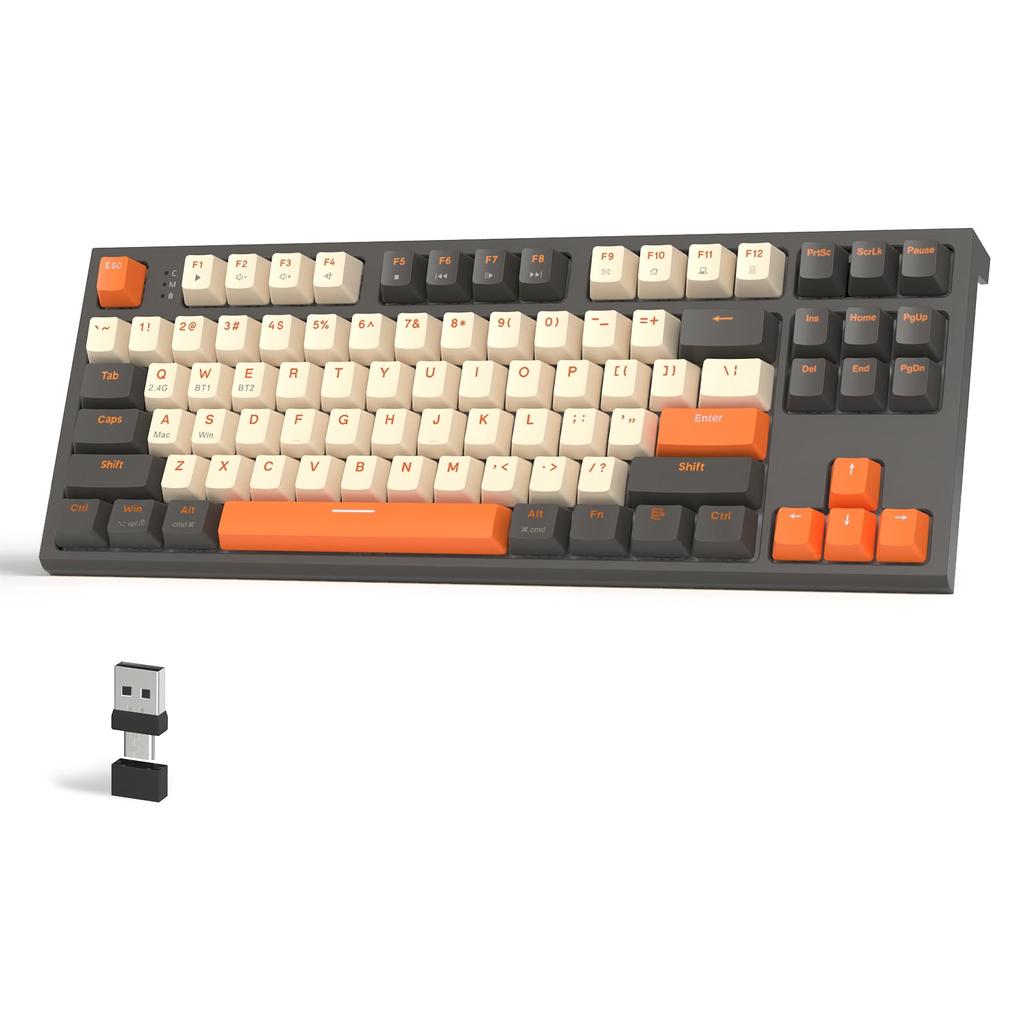
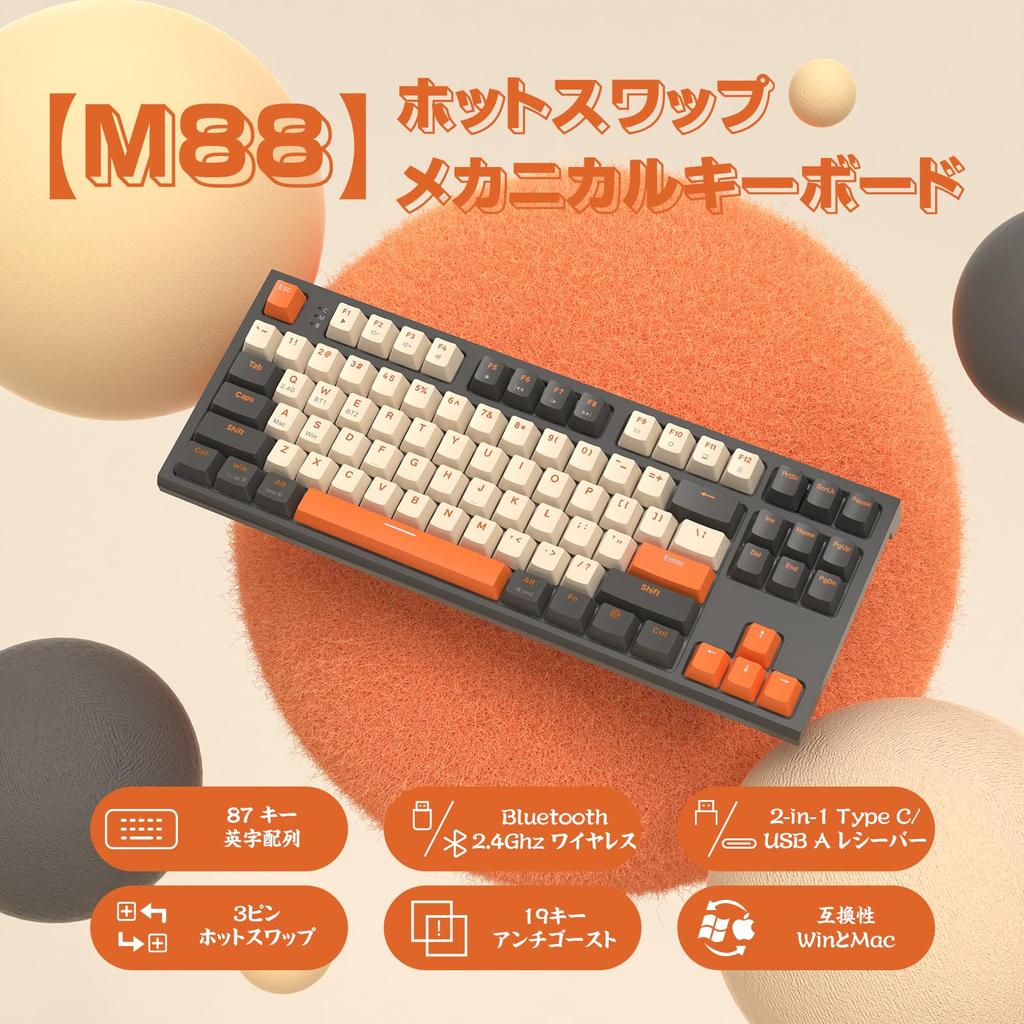
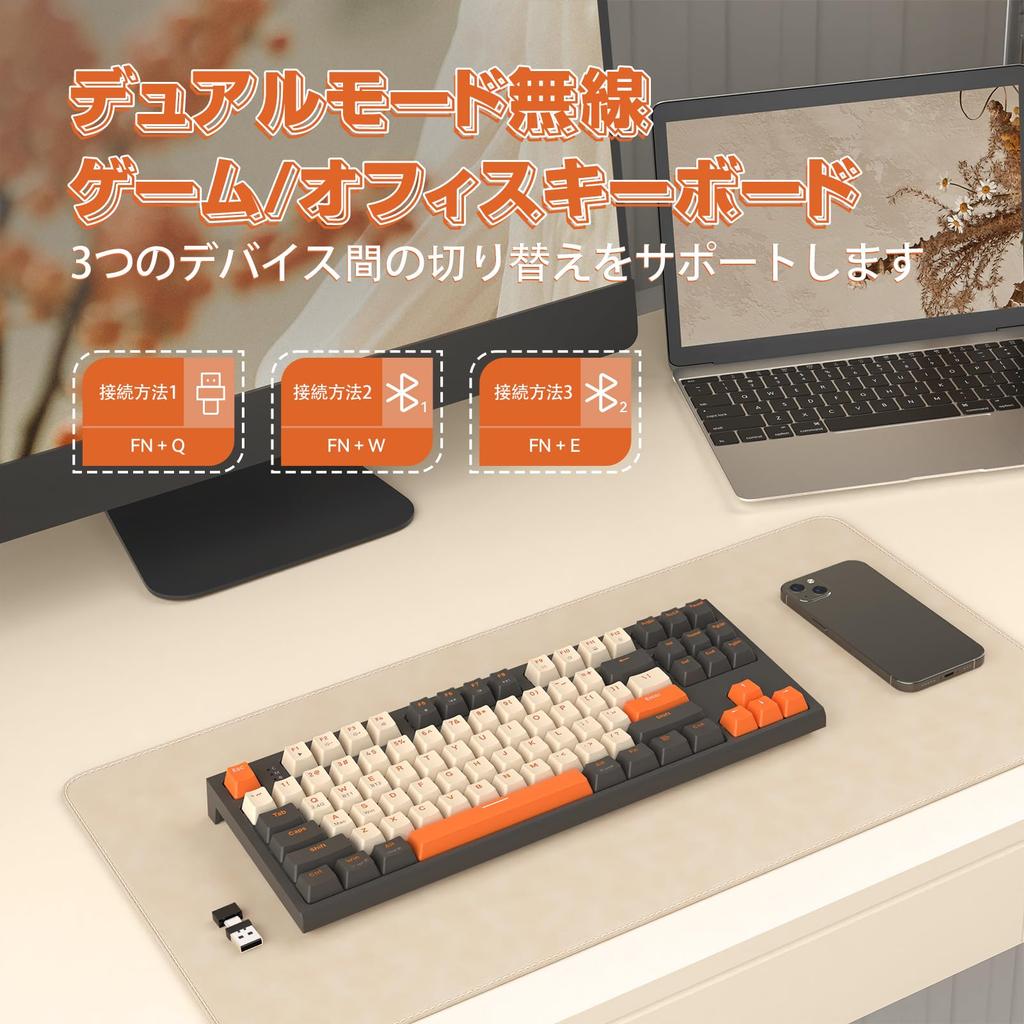
Technical Standards Conformity Certification Number: 219-249332 【Dual Mode 2.4 GHz and Bluetooth 5.0】This wireless keyboard features an upgraded wireless Bluetooth chip, providing a stable, low-latency connection for a true wireless experience. Unlike wired mechanical keyboards, it can connect up to three wireless devices simultaneously. Fn+Q switches to 2.4 GHz wireless mode, and Fn+W/E switches to Bluetooth mode, allowing you to connect up to two Bluetooth devices.
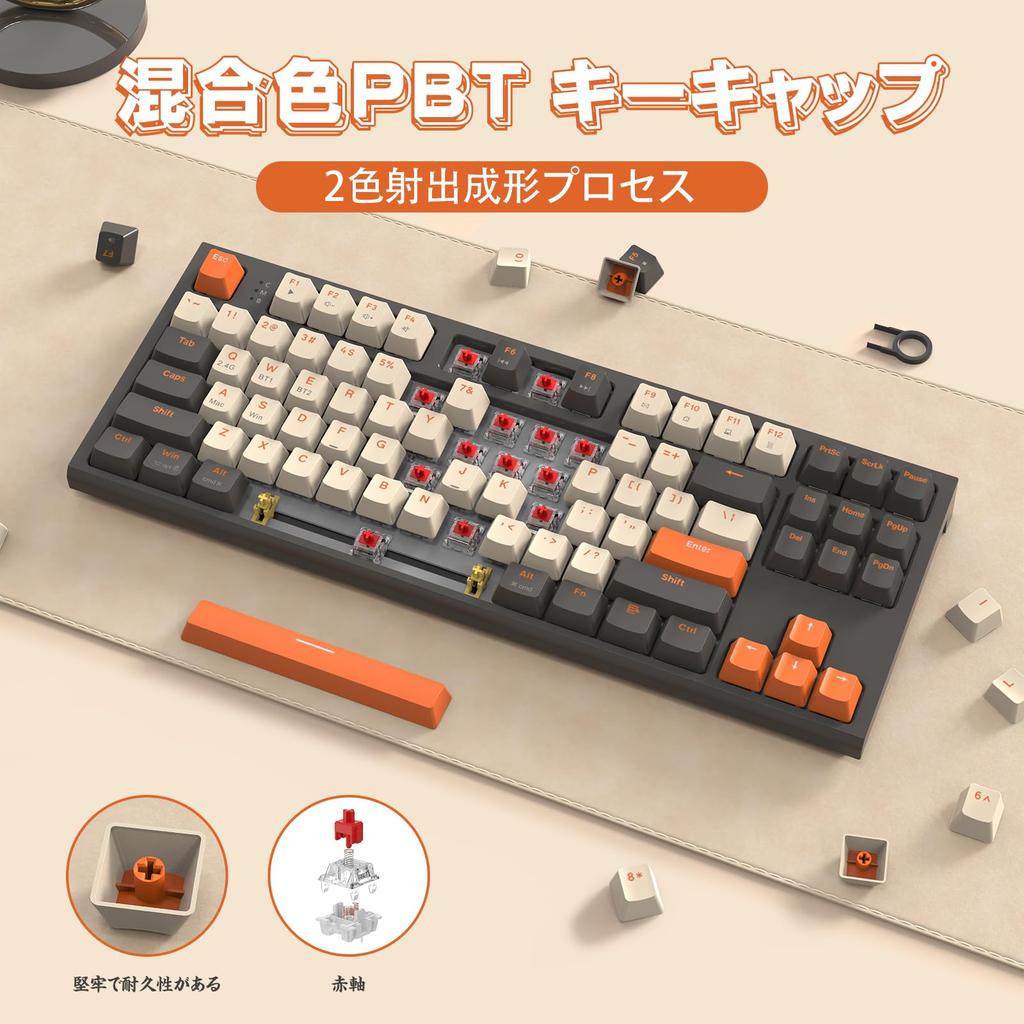
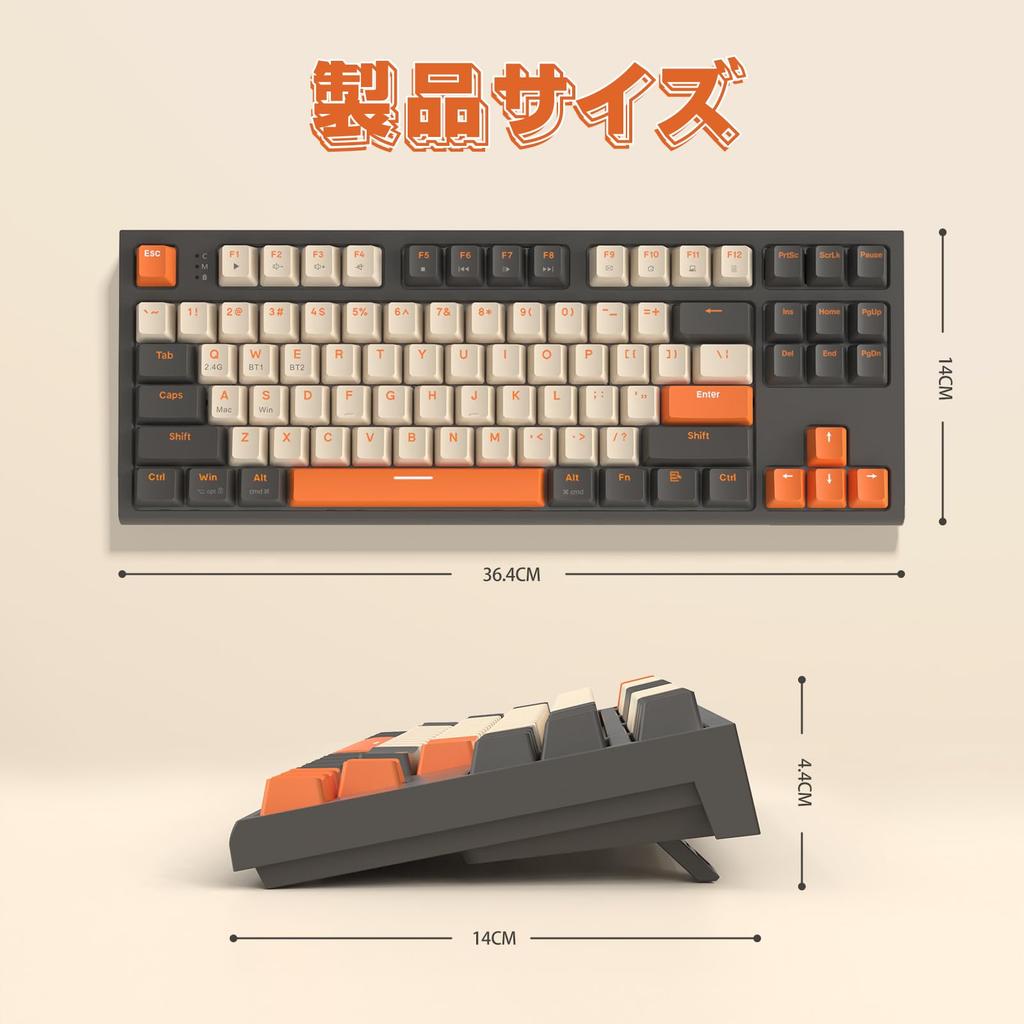
【88-Key Layout】The TKL Mechanical Keyboard features an 88-key layout that maintains a compact design while incorporating arrow keys and a set of commonly used control keys for practical keyboard use. The keycaps provide a good feel, and the characters are more wear-resistant.
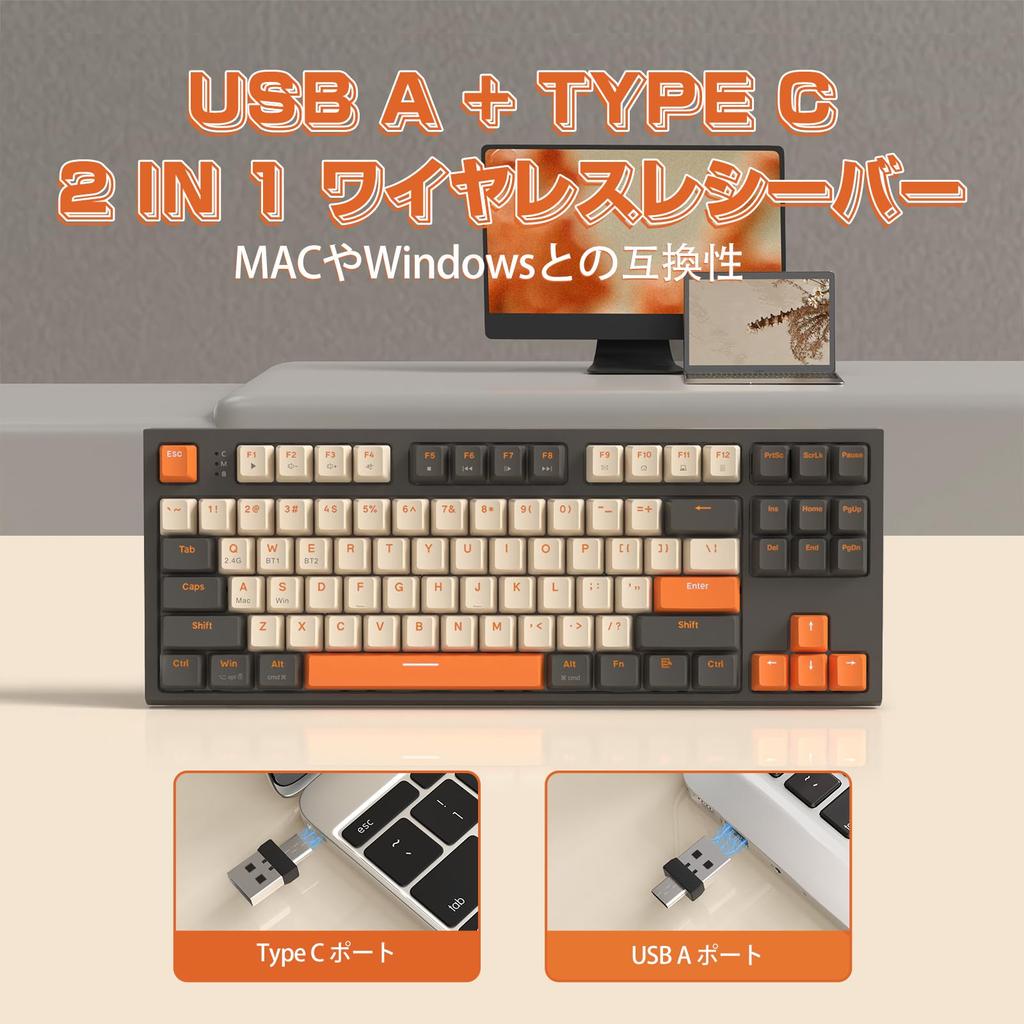
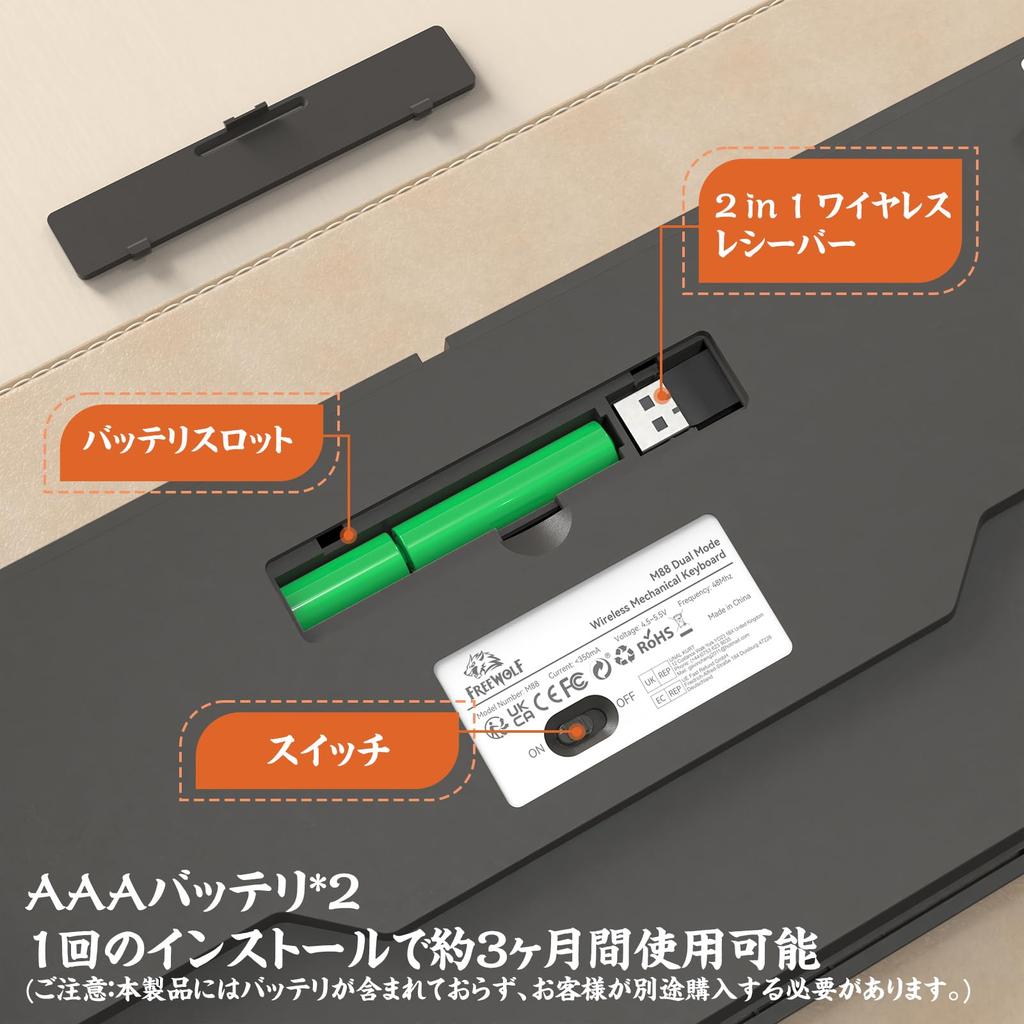
【Dual Receiver and Smart Auto Sleep】This wireless keyboard features a dual receiver and works with either a Type-C or USB-A device, making it compatible with PCs, laptops, tablets, mobile phones, and more. No drivers are required; it's plug-and-play, and you enjoy 33 feet of wireless freedom. The keyboard automatically enters sleep mode after 30 minutes of inactivity and can be woken up by pressing any key. (The keyboard uses two AAA batteries, which are not included.)
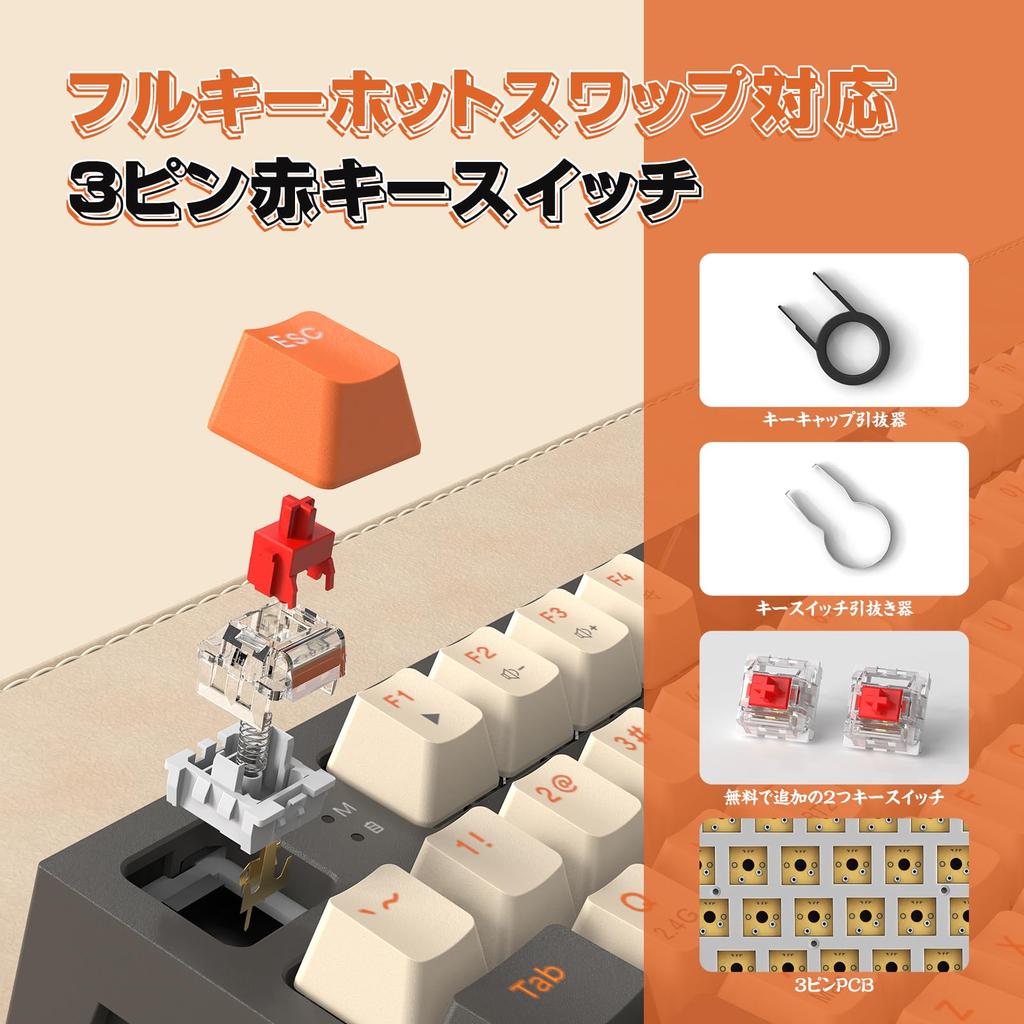
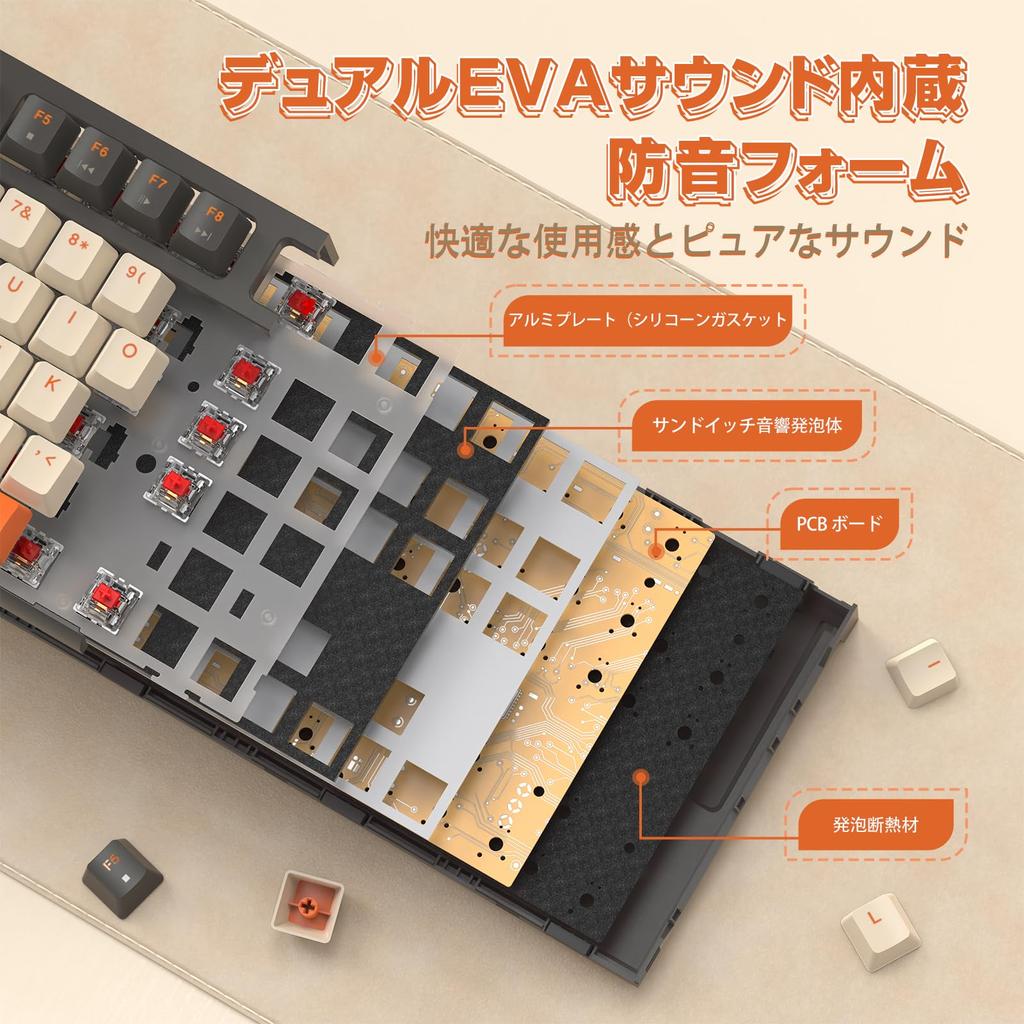
【Hot-Swap & Silent Red Switches】The hot-swap PCB allows you to freely replace switches without welding, and it supports only 3-pin key switches, allowing you to customize your typing experience. Compared to tactile key switches, linear red switches provide a quiet and smooth typing experience, making them ideal for working in an open office or for those who play games all night. Unlike film keyboards, mechanical keyboards have a longer lifespan and are less prone to accidental keystrokes.
【No Backlight and Ergonomic Design】By combining intelligent power-saving design with a no-backlight design, this keyboard can be used for up to 6 months. The keyboard's ergonomic design helps to relieve pressure on the hands and arms during prolonged use. Compatible with Windows XP/7/8/10/11 and MAC operating systems, suitable for laptops, PCs, and MacBooks.
2.4G Connection: Short press FN + Q to enter 2.4G wireless mode. The indicator light will turn red and slowly flash off. Forced Cording Method: Turn on the power switch, long press FN + Q for 3 seconds. The USB receiver will automatically insert and cord. At this point, the indicator light will flash red. Cording successful. The indicator light will turn off.
Bluetooth Connection: Bluetooth 1: Short press FN + W to turn the indicator red, click the Bluetooth name M88BT-1 to select connect. Bluetooth Pairing Method: Turn on the power switch, long press Fn + W for 3 seconds, the indicator light will flash red, the keyboard will enter Bluetooth pairing mode. Pairing successful, the indicator light will turn off, and it can be used. Bluetooth 2: Short press FN + E to turn the indicator light red, click the Bluetooth name M88BT-2 to select Bluetooth Coded Connection Method: Turn on the power switch, long press Fn + E for 3 seconds, the indicator light will flash red rapidly, the keyboard will enter Bluetooth pairing mode, the pairing successful indicator will turn off, and it can be used. If the indicator continues to flash, you can reconnect and restart the keyboard using the connection method above.
1263


 החזר על אי אספקה







![[DAREU] מקלדת אלחוטית EK98PRO 96% - מקלדת](https://img.joomcdn.net/518c32ac8f3cfcf81483e9e441ea2e853432097d_100_100.jpeg)
